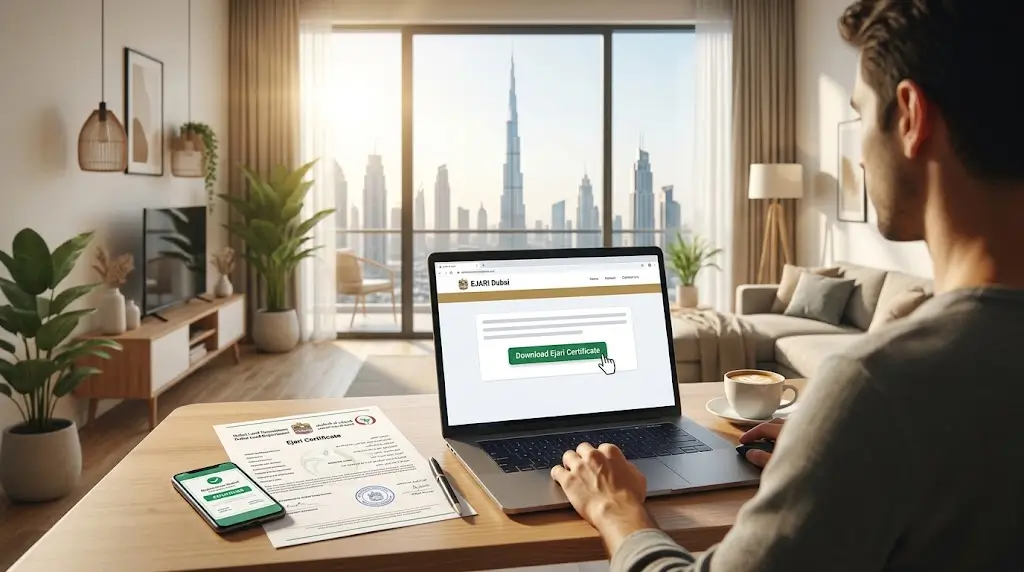
Once your tenancy contract has been registered and approved, getting your hands on the official paperwork should be simple. This guide walks through the full Ejari certificate download process, covering every official channel available in Dubai so you can access your document quickly and without confusion.
Where Can I Get My Ejari Certificate After Approval?
Once your registration is approved, the system generates your certificate instantly, so there is no need to wait days for a physical copy to arrive by mail. The Ejari certificate download becomes available right away through the official digital platforms linked to the Dubai Land Department. Whether you registered through a typing centre or completed the process entirely online, the certificate itself is accessible digitally the moment approval goes through.
This means tenants and landlords alike can complete the Ejari certificate download step from home, the office, or anywhere with an internet connection, without needing to revisit the centre where the original application was submitted.
Download Ejari Certificate Dubai Through the DLD Website
The most direct official route is through the Dubai Land Department website. To download Ejari certificate Dubai documents this way, visit the DLD site, locate the Download Ejari Certificate option on the homepage or within the eServices menu, and enter your Ejari number along with your DEWA premise number or Dubai Municipality number. The certificate generates instantly as a PDF file ready to save or print.
This method works well for anyone who prefers using a desktop browser rather than a mobile app, and it remains one of the fastest ways to complete a download Ejari certificate Dubai request without creating a new account.
Ejari Certificate Online Access via Dubai REST
For those who prefer handling everything from their phone, getting your Ejari certificate online through the Dubai REST app is just as straightforward. After logging into your account, you can navigate to the Ejari services section, select the certificate option, and download a digital copy directly to your device within moments.
Accessing your Ejari certificate online through the app also means you can retrieve the document again later if needed, without having to request a reprint or visit a service centre in person.
Dubai REST Ejari Certificate Step by Step
If you have not used the app before, here is a simple breakdown of how a Dubai REST Ejari certificate download typically works:
- Download the Dubai REST app from the App Store or Google Play
- Log in using your existing account or UAE Pass credentials
- Go to the Ejari services section within the app
- Select the option to download your certificate
- Save the generated PDF directly to your phone
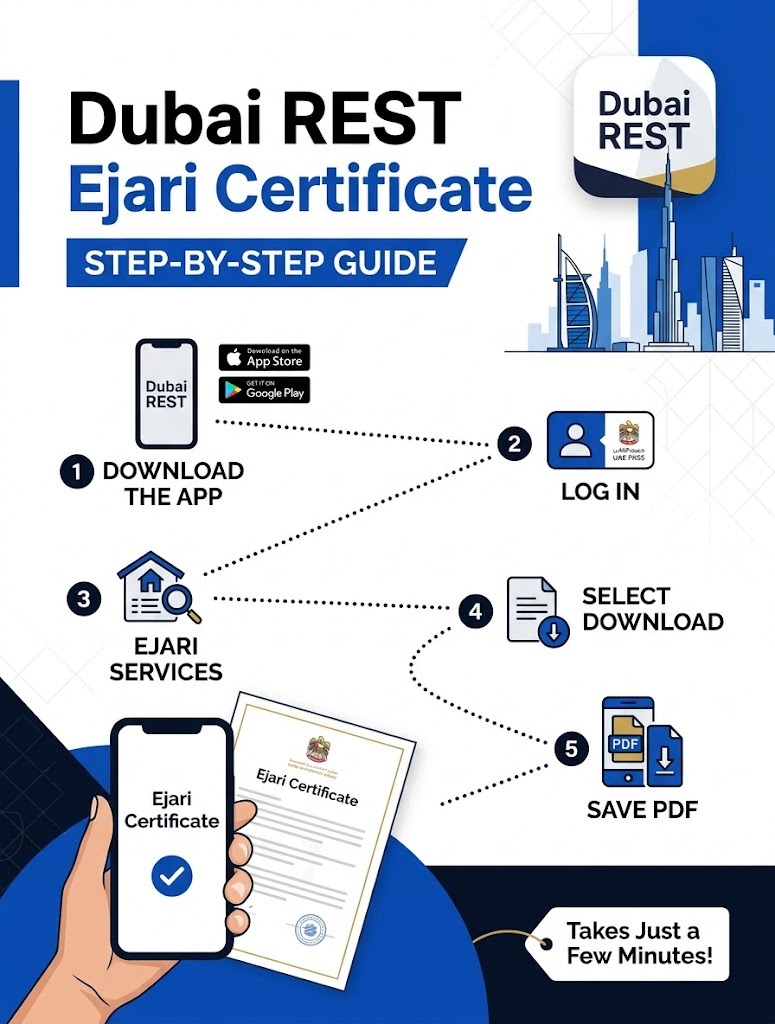
Following these steps for your Dubai REST Ejari certificate request usually takes only a few minutes, assuming your registration has already been approved.
Ejari Download Dubai Using UAE Pass
Another reliable option for completing your Ejari download Dubai request is through the UAE Pass platform, which links directly to your government-issued digital identity. Logging in through UAE Pass allows you to view and download tenancy-related documents, including your certificate, in the same secure environment used for other official UAE services.
Using UAE Pass for your Ejari download in Dubai can be especially convenient if you already use the app regularly for other government transactions, since your identity verification is already set up.
Information You Need Before Downloading
Before starting your Ejari certificate download, it helps to have a few details ready, so the process goes smoothly:
- Your Ejari contract number
- DEWA premise number or Dubai Municipality number
- Your UAE Pass login, if using that method
- A stable internet connection to generate and save the PDF
Having these details on hand prevents delays and avoids having to restart the Ejari certificate download process partway through.
What If I Cannot Find My Certificate?
Occasionally tenants run into trouble locating their document, usually because the registration has not been fully approved yet or because login details do not match the account used during registration. If your Ejari certificate download is not showing up where expected, try switching between platforms, since the DLD website, the Dubai REST app, and UAE Pass all pull from the same registered record.
If the issue continues, contacting the typing centre or trustee office that handled your original registration can help confirm whether approval is complete and whether there is a simple account mismatch causing the problem.
Why Having Easy Access Matters
Your certificate is not just a formality sitting in a drawer. It supports DEWA activation, visa processing, and various other administrative steps throughout your time as a tenant in Dubai. Knowing how to complete an Ejari certificate download whenever you need a fresh copy means you are never stuck waiting on paperwork during an important application or renewal.
Keeping a saved digital copy on your phone or email also means you always have quick access without needing to repeat the full download process every time a document is requested from you.
Conclusion
Getting a copy of your tenancy paperwork does not need to be complicated. Whether you prefer the DLD website, the Dubai REST app, or UAE Pass, completing your Ejari certificate download takes only a few minutes once your registration is approved. Keeping your Ejari number and property details handy makes the entire process even smoother the next time you need your documents.
If you run into any trouble accessing your certificate or need help completing your registration, reach out to the team at Ejari Meydan for quick and reliable assistance.
Frequently Asked Questions
How soon after approval can I download my Ejari certificate?
The certificate is usually generated instantly once your registration is approved, so you can download it right away through any of the official platforms.
Do I need a special account to access my certificate online?
You will need either a Dubai REST account, access to the DLD website with your Ejari details, or a UAE Pass login to retrieve your document.
What information do I need to complete the download?
You typically need your Ejari contract number along with your DEWA premise number or Dubai Municipality number to generate the PDF.
Can I download my certificate more than once if I lose the file?
Yes, you can return to the DLD website, Dubai REST app, or UAE Pass at any time to download another copy of your certificate.
What should I do if my certificate does not appear after approval?
Try checking through a different platform, and if the issue continues, contact the typing centre or trustee office that processed your original registration.