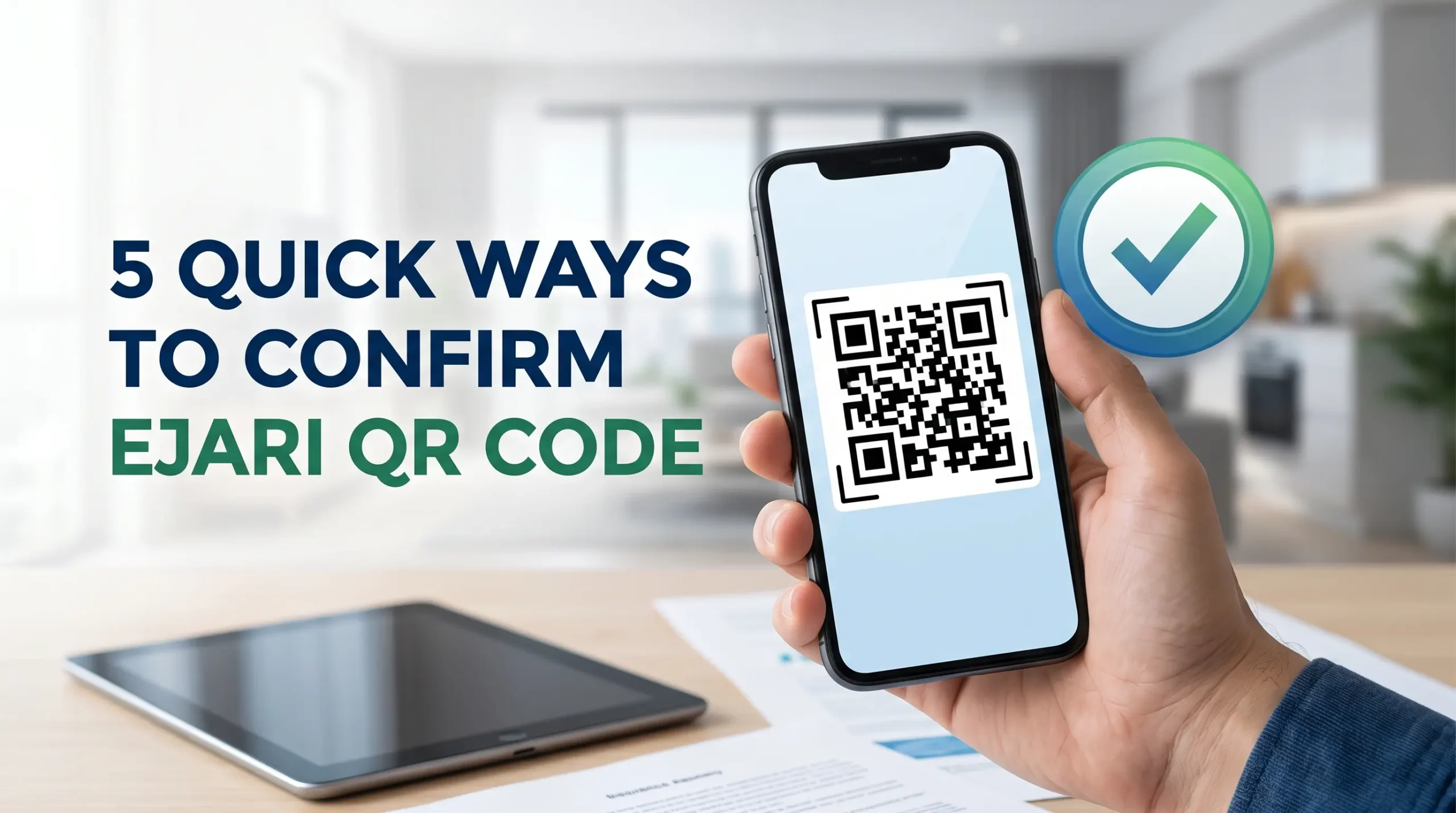
Ejari certificates are meant to protect both tenants and landlords, but fake or altered documents do sometimes show up, especially when deals move quickly or paperwork gets passed around without proper checks. The good news is that every genuine certificate carries a built-in QR code, and learning how to verify Ejari QR code details takes only a minute. This guide walks you through exactly how to verify Ejari QR code authenticity, step by step.
How Can I Verify My Ejari Certificate Is Genuine Using the QR Code?
Every official Ejari certificate includes a QR code that links directly back to the Dubai Land Department system. This is the fastest and most reliable way to verify Ejari QR code authenticity without needing to contact anyone or visit an office.
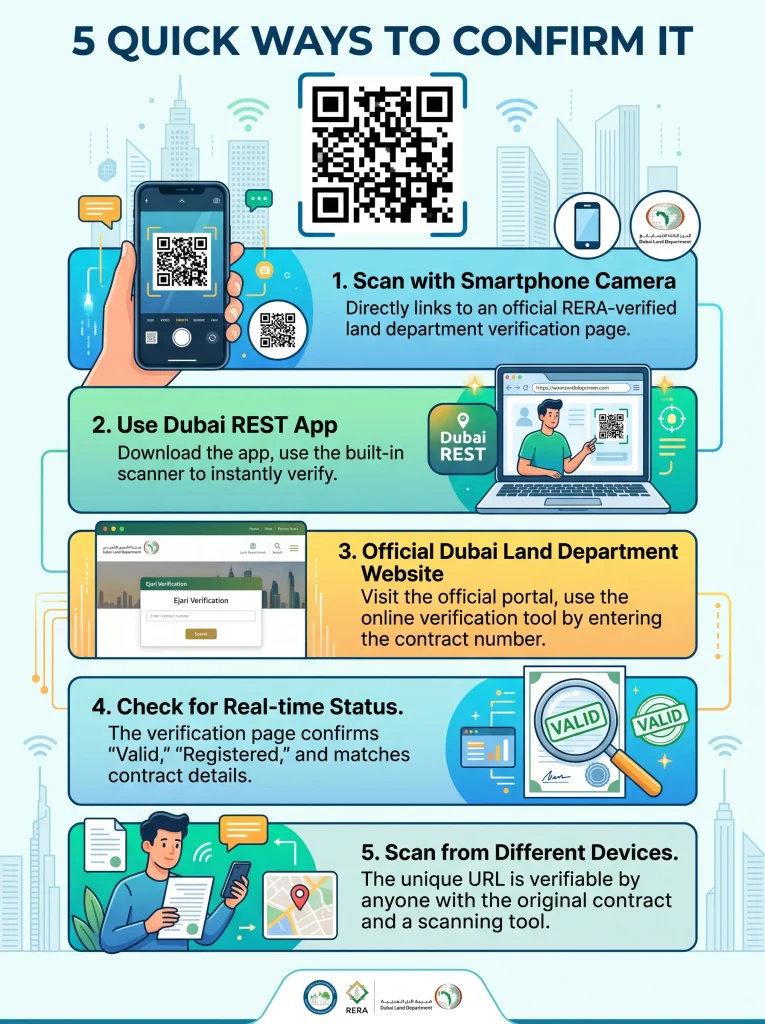
Here is the general process:
- Locate the QR code printed on the certificate
- Open your phone camera or a QR scanning app
- Scan the code and follow the link it generates
- Compare the details that appear against the printed certificate
- Confirm the property, tenant, and landlord information all match
If everything lines up, you can be confident the certificate is real. If the QR code does not scan properly, leads to an error, or shows information that does not match the document, that is a clear warning sign that something is wrong.
Where Is the QR Code on an Ejari Certificate?
The QR code is usually placed in a clearly visible spot on the certificate, but its exact position can vary slightly depending on the version of the document. Here is what to look for:
- It is typically found in the top corner or near the header of the certificate
- Some versions place it closer to the footer, next to the certificate number
- The QR code is printed in black and white or dark ink, and is a fixed square shape
- It should be crisp and clearly printed, not blurry, smudged, or pixelated
If the QR code on a certificate looks unusually placed, poorly printed, or seems to have been added separately from the rest of the document, treat that as a reason to verify Ejari QR code details carefully before trusting it.
What App Scans It?
You do not need a special or complicated app to scan Ejari QR codes. Most modern smartphones can handle this with tools already built in.
Options include:
- The default camera app on most iPhones and Android phones, which can detect and open QR codes automatically
- Any general-purpose QR code scanner app available on the app store
- The Dubai REST app, which is specifically built to work with Dubai Land Department services, including Ejari
- Some property management or real estate apps also include a built-in QR scanner for verification purposes
Whichever method you choose, make sure the link it opens goes to an official Dubai Land Department page, not a generic website or unrelated page. Learning to scan Ejari QR codes correctly and checking the destination link is what makes this whole process reliable, and that detail alone can help you catch a fake certificate early.
Can a Fake Ejari Pass QR Verification?
This is one of the most important questions to understand. A properly forged certificate might look convincing on paper, but it becomes much harder to fake once you actually try to verify Ejari QR code details through scanning.
Here is why fake certificates usually fail this check:
- A copied or edited QR code image often does not link to a real, working page
- Even if the QR code scans, the details that appear online may not match what is printed on the paper certificate
- Genuine QR codes are generated directly by the official system, so they cannot simply be copied and reused for a different property or tenant
- Any mismatch between the scanned result and the physical document is a strong sign of a fake or altered certificate
This is exactly why relying only on how a certificate looks is not enough. Always take the extra step to scan and confirm, especially for high-value transactions like signing a new lease or applying for a visa.
How Do I Check Ejari Authenticity Online?
Beyond scanning the QR code, there are other ways to confirm Ejari certificate authenticity if you want extra confidence in the document. Checking Ejari certificate authenticity thoroughly matters most when a lot is riding on the paperwork, such as a new lease or a visa renewal.
- Use the Dubai REST app to search for the property or certificate number directly
- Cross-check the tenant and landlord names against Emirates ID or passport copies
- Confirm the property details, including community and unit number, match what is listed on the certificate
- If anything feels off, contact a trusted Ejari service provider to help confirm the details before proceeding
Taking a few extra minutes to check Ejari validity properly can save you from serious problems later, especially if you are relying on the certificate for a rental dispute, visa application, or utility connection. Making it a habit to check Ejari validity before every major transaction is one of the easiest ways to stay protected.
Why Ejari Verification Dubai Matters So Much
Understanding the full picture behind Ejari verification Dubai processes helps explain why this step should never be skipped. Here is what is really at stake:
- DEWA connections require a valid, verified Ejari certificate
- Visa applications and renewals often depend on accurate Ejari records
- Rental disputes rely heavily on Ejari as proof of the tenancy agreement
- Landlords and tenants both need confidence that the paperwork they are relying on is genuine
Skipping verification might save a minute or two upfront, but it can create major complications later if the certificate turns out to be inaccurate or fraudulent.
Common Signs of a Fake or Altered Certificate
- QR code that does not scan or leads to an error page
- Blurry, smudged, or oddly placed QR code compared to standard certificates
- Mismatched details between the printed certificate and the scanned online result
- Certificate numbers that look inconsistent or formatted differently from standard Ejari numbers
- Pressure from a landlord or agent to avoid checking the certificate yourself
If you notice any of these signs, it is worth pausing the transaction until you can confirm everything is legitimate.
Quick Checklist for Verifying Your Ejari Certificate
- Locate the QR code on the certificate
- Scan it using your phone camera or the Dubai REST app
- Confirm the link goes to an official Dubai Land Department page
- Match tenant, landlord, and property details against the printed document
- Reach out for help if anything looks unclear or inconsistent
Conclusion
Learning how to verify Ejari QR code details is one of the simplest yet most important steps you can take before relying on a tenancy contract, applying for a visa, or setting up your utilities. It takes only a minute, but it protects you from the risks tied to fake or altered documents. Whether you are a tenant, landlord, or agent, making the verify Ejari QR code habit a regular part of your process is always worth the small effort.
Want to confirm your Ejari certificate is genuine and fully up to date? Call Ejari Meydan today to get expert help verifying your certificate and handling any Ejari-related questions quickly and correctly.
FAQs
Is scanning the QR code enough to fully verify an Ejari certificate?
It is one of the most reliable checks, but comparing the scanned details against the printed certificate and other documents adds extra confidence.
What should I do if the QR code does not scan at all?
Treat this as a warning sign and avoid proceeding with the transaction until you confirm the certificate through an official channel.
Can I verify an Ejari certificate without a smartphone?
Yes, you can check certificate details through the Dubai REST app on a computer or by contacting a trusted Ejari service provider for assistance.
Do all Ejari certificates have the same QR code placement?
Not always. Placement can vary slightly depending on the certificate version, though it is generally found near the top or bottom of the document.
What happens if I unknowingly use a fake Ejari certificate?
This can create serious problems with DEWA connections, visa applications, or legal disputes, which is why verifying authenticity before relying on the document is so important.